
Lenovo laptop hinge broken or lid loose: what to do before it gets worse
4 November 2026 · Lenovo news
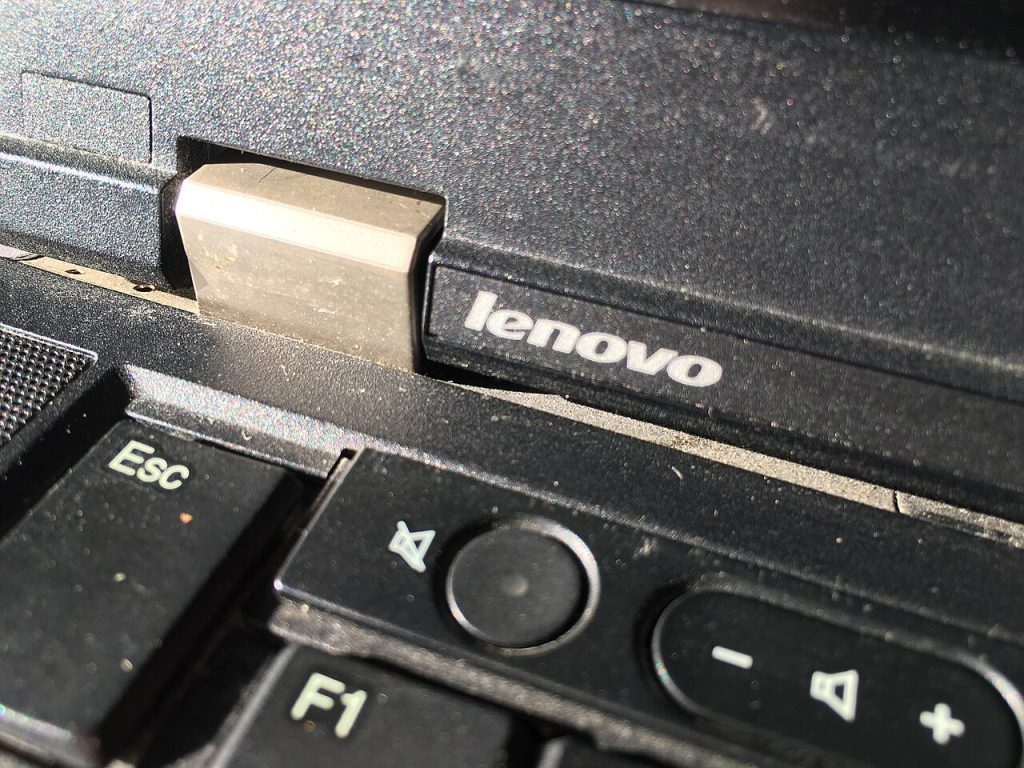

The lid of your Lenovo laptop has started to feel wrong. Perhaps it flops backwards instead of staying where you put it, one corner of the screen lifts away from the frame when you open it, or you hear a creak or a crack each time you move it. A hinge problem rarely fixes itself, and it usually gets worse with every opening and closing. Caught early, it is often a straightforward repair. Left alone, it can take the screen, the case and the display cable with it. Here is how to tell what is happening and what to do next.
How a laptop hinge fails
The hinges themselves are metal, but they are held to the laptop by screws that go into small threaded inserts in the base and the lid. On many laptops those inserts are set into plastic. Every time you open the lid, the force goes through those mounting points. Over time the hinge can stiffen, the screws can work loose, or the plastic around the inserts can crack and let go.
That is why a hinge problem is often really a case problem. The hinge may look fine, while the part it was fixed to has broken away.
Signs your hinge is failing
- The lid will not stay up. The screen falls open or closed on its own, which suggests the hinge has lost its tension or come loose.
- The lid is stiff. A hinge that has become much harder to move puts extra force on the mounting points, so stiffness is a warning sign in its own right.
- A gap is opening up. The base or the screen surround separates near the hinge when you open the lid.
- The case is cracked. You can see splits near the back corners of the base or lid.
- You hear new noises. Creaks, clicks or cracking sounds as the lid moves.
- The picture changes as you move the lid. Flickering, lines or a blank screen at certain angles can mean the display cable, which runs through the hinge area, is being pinched or strained.
What you can safely do now
- Stop opening and closing it more than you need to. Each movement adds to the damage.
- Open the lid from the centre. Lifting from one corner twists the screen and loads one hinge more than the other.
- Back up your files. Do this while the laptop still works, particularly if the screen has started flickering. Our guide to the screen going black or flickering covers that symptom in more detail.
- Use an external monitor if you need to keep working. Leave the lid in one position and connect a screen, so the hinge is not moved at all.
- Carry it carefully. Do not pick the laptop up by the screen, and keep it closed in a padded sleeve if the lid will still shut properly.
What to avoid
- Do not force a stiff lid. If it resists, stop. Forcing it is how a stiff hinge becomes a cracked case.
- Do not glue it. Superglue or epoxy around a hinge can seep into the mechanism, and it makes a proper repair harder because the old adhesive has to be removed first.
- Do not simply tighten what you can reach. If the insert underneath has come free, tightening the screw will not hold, and it can crack the plastic further.
Yoga and other 2-in-1 laptops
Yoga and other convertible models have hinges that fold the screen all the way round, so they go through a much bigger range of movement than a standard clamshell laptop. If yours feels loose or uneven, avoid switching into tent or tablet mode until it has been checked. If the screen is also a touchscreen, the display assembly is a more expensive part to damage, so it is worth dealing with a hinge problem early. See our Yoga repair page for more.
Signs it needs a repair now
- The screen no longer sits straight, or one side of the lid has lifted.
- The case has visibly split near a hinge.
- The picture flickers or drops out when you move the lid.
- You can see the hinge bracket or cables through a gap.
- The lid will not close flat.
What the repair involves
We start by taking the laptop apart far enough to see what has actually failed: the hinge itself, the mounting points in the base, the mounts in the lid, or a combination. Depending on what we find, a hinge repair can mean fitting new hinges, repairing the mounts, or replacing the damaged part of the case. We also check the display cable while the laptop is open. If the panel has been damaged as well, we will tell you before doing anything further, and screen repair can be handled at the same time.
Parts vary a lot between models, so the exact model name helps. On a ThinkPad or an IdeaPad you will normally find it on the label underneath the laptop. You can also get a guide figure from our repair price calculator.
Book a Lenovo repair
Bring your laptop to our London SE1 workshop (Monday to Saturday, 9am to 6pm), or we can arrange a courier collection from anywhere in the UK. Tell us the model and what the lid is doing, and we agree the price with you before any work starts.
Call 020 7394 2525, email info@creativeit.tv, or book a repair online.
Data recovery for every Lenovo
Laptop dead, SSD not detected, files deleted or Windows reset? We recover documents, photos and email from every ThinkPad, ThinkBook, IdeaPad, Yoga, Legion and LOQ at our London SE1 lab, even when the laptop itself can’t be repaired.
- Dead or liquid-damaged laptops
- SSDs and hard drives not detected
- Deleted files and reset laptops
- BitLocker, with your recovery key
Free consultation. No data, no recovery fee.

Get your Lenovo fixed
Book online and you get a job number by email straight away. Bring the laptop to our London SE1 workshop, or we arrange a courier collection from anywhere in the UK.